
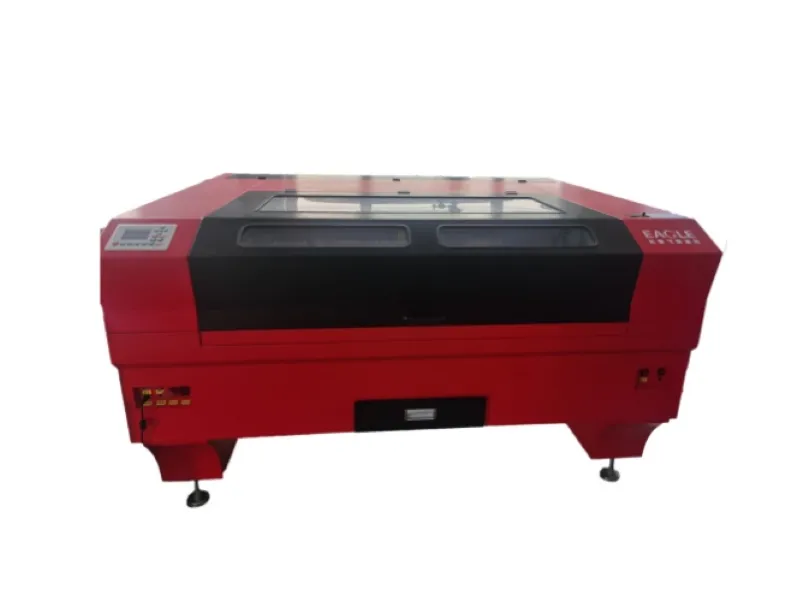
CO2 laser machinesare widely utilized in the signage and marking industry, capable of processing almost all materials—with the exception of pure metals—for both engraving and cutting applications. In this two-part series, we will share some practical, expert tips for using CO2 laser machines, starting with laser cutting in this first installment.
Mastering Edge Cutting Effects
1. Adjusting DPI:
To achieve perfect control over edge quality, you can adjust the DPI resolution within your engraving software to suit the specific material you are using.
For instance, when working with wood, use a vector mode setting of 300–500 DPI to prevent the edges from scorching or turning black. Additionally, you can apply a protective paper masking over the material prior to cutting; this helps eliminate burn marks, keeping your finished piece clean and free of dust residue.
When processing acrylic, you can use a vector setting exceeding 1000 DPI to achieve smooth edges that resemble a "flame-polished" finish. This setting ensures a clean, crisp cut—making it an ideal choice for high-end items.
2. Focusing:
For materials thicker than 3mm, the key to achieving a clean, straight cut lies in adjusting the focus offset to one-third of the material's thickness. While laser machines typically autofocus on the material's surface, you should manually shift the focal point to lie *within* the material rather than directly on its surface.
For example, when cutting wood that is 10mm thick, set a focus offset of 3mm. This may seem like a highly technical detail, but when striving for maximum precision, every millimeter counts! We also recommend switching to a 4" lens with a longer focal length when cutting thicker materials.
3. Start Cutting from the Inside Out:
Internal shapes should be cut before external shapes—especially when using a pin table. This prevents the workpiece from shifting or warping. In your engraving software, you can assign specific colors to define the cutting order, thereby improving cutting efficiency.
4. Air Assist:
When cutting materials at high power, flames often flare up. These flames can be extinguished using the compressed air nozzle located next to the laser head. This not only protects the lens and eliminates fire hazards but also ensures a clean cut finish, as the airflow blows away smoke and material debris. This prevents these residues from being reheated by the laser and adhering to the cut edges—a process that can leave the surface slightly irregular and aesthetically unappealing.
Cutting Tips for Common Materials
5. Bending Wood:
A CO2 laser can be used to bend wood. For instance, you can use your engraving software to design and cut intricate diamond patterns that act as elegant "living hinges"—perfect for projects such as boxes or miniature models.
6. Cutting Acrylic:
When cutting acrylic, the choice of cutting bed significantly impacts the engraving quality.
A honeycomb workbed is excellent for securing workpieces during cutting; however, acrylic is highly sensitive to reflections from the laser beam. The edges of the honeycomb cells may leave faint marks on the underside of the acrylic sheet.
A pin table is an excellent tool for laser cutting. It minimizes the contact surface area with the material, helping to prevent marks caused by beam back-reflection while allowing cut pieces to drop through without warping. The pins should be positioned such that the laser beam does not pass directly through any contact points.
7. Bending Acrylic:
For acrylic materials, you can heat the material—without actually cutting or engraving it—by defocusing the laser beam a few millimeters upward. This softens the acrylic along specific lines, making it easier to bend.
For example, when working with a 3mm thick sheet using an LS100 machine... Using a CO2 laser engraving machine, we engraved a 1mm-wide scan line with a defocus of 40mm and a slow speed setting of 15%. The power was set to approximately 40W, and the resolution was 2400 DPI.
That wraps up today's introduction. Take some time to digest this information and put it into practice; next time, we will share some additional CO2 laser engraving techniques—so be sure not to miss it!