
Definition:
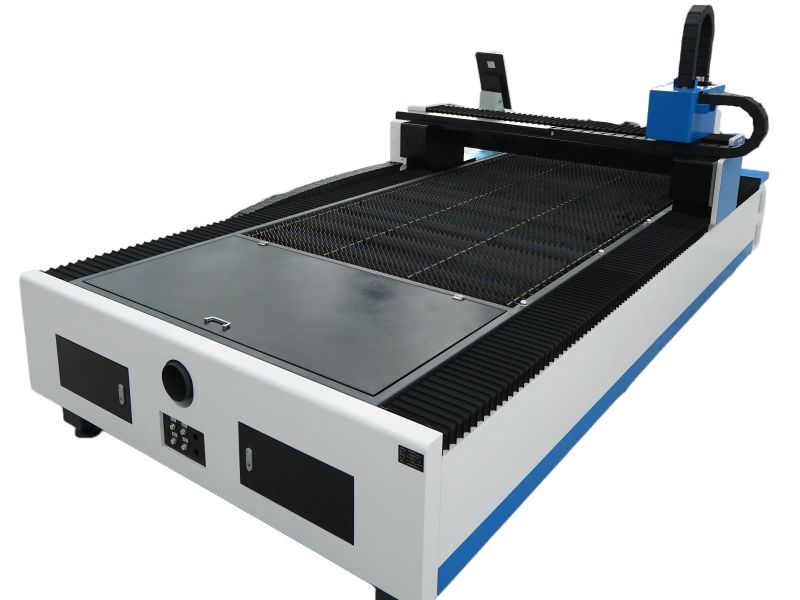
The handheld continuous fiber laser welding machine consists of an integrated cabinet, a fiber laser source, a circulating water cooling system, a laser control system, and a handheld cleaning head.
Product Features:
The laser cleaning machine is a new type of laser-based surface treatment equipment capable of rapidly removing rust, oil stains, plating layers, and weld discoloration (yellow spots) from product surfaces.
1. High efficiency
2. Minimal damage to the material's surface layer
3. No wastewater discharge
4. Simple to operate
Operating Instructions:
Equipment Installation and Commissioning:
1. Connect the equipment's power cable to the main power circuit breaker. Ensure that the power consumption and voltage specifications are compatible. The equipment's ground wire *must* be connected to a proper grounding terminal.
2. Open the water tank's fill port and add purified water (or industrial distilled water). For some water tank models, the air vent valve must also be opened while filling (refer to the water tank manual for details). Fill the tank until the water level reaches the designated water level line.
Startup Procedure:
1. Once external power connections are confirmed to be normal, switch on the main circuit breaker located at the rear of the equipment.
2. Verify that the emergency stop switch is in the "released" (normal) position. Once confirmed, turn the key switch to the "ON" position; the machine's power indicator light should now illuminate.
3. With the equipment confirmed to be powered on, check that the chiller unit is operating correctly and that the water circulation system is functioning properly. If any water leaks or chiller malfunctions are detected, immediately cut the power supply and investigate the issue.
4. Switch on the laser source and select the "External Control" mode (Note: The specific procedure may vary depending on the laser brand; please consult a technical specialist before the initial startup if you are unsure).
5. Once the laser source's self-diagnostic sequence is complete (this process takes approximately 30 seconds; please wait patiently), you may use the equipment's touchscreen interface to adjust the laser power settings.
6. On the interface, tap "Oscillation" (Swing), then tap "Laser." Next, tap the on-screen safety confirmation prompt. Once the "Laser Emission Ready" warning sounds, open the protective cover over the laser lens. You can now initiate the cleaning process by pressing the trigger button on the handheld gun (typically requires a double-press to emit the laser beam). During laser emission, adjust the distance between the gun and the workpiece until you observe the most intense sparking; this indicates the optimal focal height for effective cleaning.
Shutdown Procedure:
1. Tap the "Laser" and "Wobble" buttons on the controller touchscreen.
2. Place the handheld welding gun onto its designated holder, then turn off the water tank switch.
3. Turn off the key switch and neatly coil the fiber optic cable.
4. Switch off the circuit breaker located at the rear of the equipment.
Software Interface:
Precautions:
1. The pure water (or distilled water) inside the chiller unit must be replaced every 3 months; the air intake filter screen should be cleaned once a month (maintenance intervals may be shortened based on specific site conditions). If the ambient indoor temperature drops below 0°C, antifreeze must be added; otherwise, the laser unit will sustain damage. Standard automotive antifreeze (pre-mixed/waterless type) may be used, but it should not remain in the system for more than 3 months. For regions with consistently low temperatures year-round, please use specialized laser-specific antifreeze.
2. If the laser energy output appears uneven or lower than normal, please inspect the protective lens inside the handheld welding gun to check for signs of burning or damage. Ensure the equipment is completely powered off before performing this inspection.
3. The fiber optic cable must not be bent beyond a 60-degree angle or subjected to pressure from heavy objects. The laser gun head must be handled with care; when not in use, it should be placed securely on its designated holder.
4. The laser system is a piece of precision equipment. Other devices that generate significant electromagnetic interference or power grid fluctuations must not be placed in close proximity; a minimum separation distance of 5 meters is required, and these devices must not share the same power supply line.
5. The laser unit will trigger an alarm (indicated by a flashing yellow light) if the water temperature drops below 8°C. In this event, immediately press the laser's emergency stop button and allow the chiller unit to continue running for 40 minutes.
Safety Precautions:
Always wear protective gloves and laser safety goggles while operating the laser equipment.
During operation, strictly prohibit pointing the laser gun head toward any person. When finished using the device or pausing operation temporarily, tap the "Off" button on the interface to shut down the laser.
When processing highly reflective materials (such as aluminum plates or galvanized steel sheets), exercise extreme caution regarding the high-temperature reflection zones.